


Gardenize: Garden & Plant care
3.6135.00 Reviews
App Specs
- Version
- 6.5.0
- Updated On
- License
- Free
- Downloads
- 100,000+
- Developer
- Gardenize Garden App AB
- Categories
- House & Home
- Platform
- Android
Screenshots
 Analysis by AppCompare
When I care for several plants, the tricky part is often remembering what I did and when, rather than knowing that a plant needs attention. That is where Gardenize: Garden & Plant care makes sense to me: it gives plant notes, photos, and care reminders a shared home instead of leaving them scattered across my camera roll and memory. It is a free house-and-home app from Gardenize Garden App AB, and its focus is practical record-keeping rather than turning gardening into a complicated project.
A calmer way to keep a garden record
I would start with the plants I most often forget about, not try to document every pot in one sitting. Add a few entries, take photos that show the plant’s condition, and use notes for details that will matter later: where it sits, how it responds to a change, or what I want to check next. That modest start makes the journal useful sooner and avoids the chore of building a perfect catalogue before getting any benefit.
The app’s strongest idea is the connection between a plant record and the everyday care around it. A reminder can prompt me to act, while a note or photo helps me understand why I set that reminder in the first place. I find that more valuable than a bare notification: if a plant has been struggling, a dated observation can help me avoid repeating a change that did not work.
Speed expectations and the right routine
Gardenize is best approached as a small, repeated habit, not as a place I need to inspect constantly. Adding a quick note or photo during a normal walk around the home should feel more manageable than trying to reconstruct weeks of care from memory. I would not expect a plant journal to make gardening itself faster; its payoff is that it can reduce the time spent wondering what happened last time.
For a smooth start, I’d record useful details while they are in front of me. A photo taken near the plant can preserve a visual reference, and a short note such as “moved away from the window” is more useful than a vague entry like “checked plant.” This is a simple workflow, but it makes later comparisons meaningful without asking me to write a long diary after every watering.
Getting to Know Gardenize
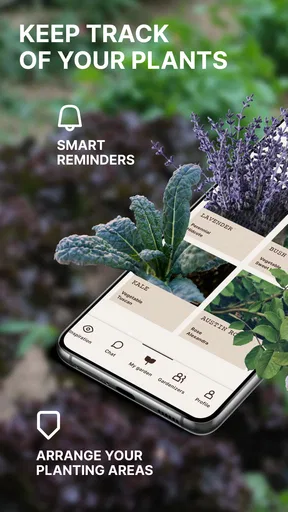
First things first, Gardenize is all about keeping track of your plants and gardens. You know how sometimes you forget when you last watered your fern or pruned your roses? This app helps you keep tabs on all that. It’s like a digital diary for your foliage. Setting it up is a breeze. You just download it, create an account, and you’re ready to go.
Features Galore
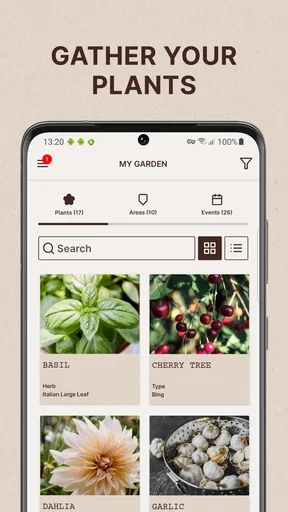
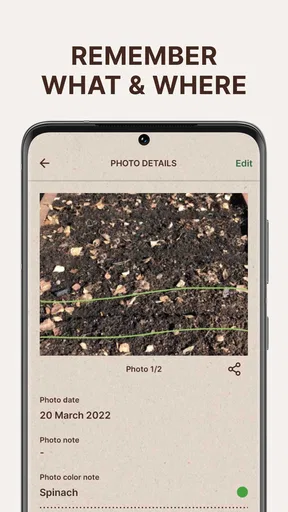
What I love about Gardenize is its user-friendly interface. It’s intuitive and doesn’t take a tech wizard to navigate. You can log each of your plants, complete with photos and notes. Imagine walking through your garden and snapping a picture of your blooming hydrangea, then jotting down a note about how much sun it’s getting. It’s that simple!
Worth Reading Before You Choose

EA SPORTS FC Mobile 26 Is a Bigger Football Game, but It Takes Time

Flipboard Shows What News Apps Must Do Beyond the Feed

Switching to Android Auto Means Rethinking Your Driving Routine

Google Calendar Makes a Crowded Week Easier to Manage

Ludo King Makes the Most of the Minutes Between Plans

Baby Panda World Brings Quick Play to Modern Phones, but Its Game Library Feels Busy
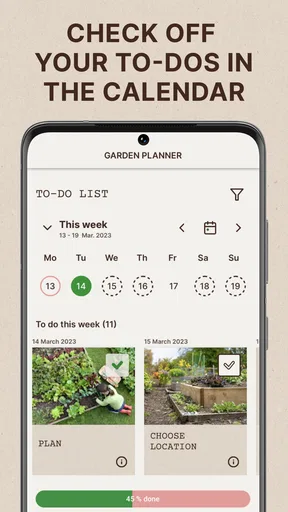
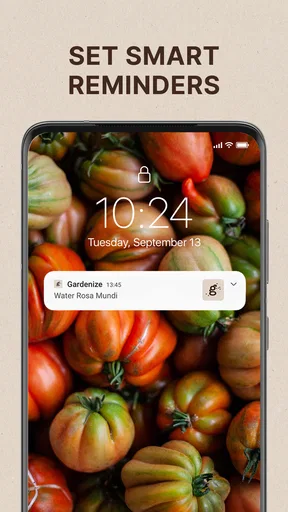
There’s also a nifty feature where you can set reminders for watering, fertilizing, or any other plant care tasks. I’m notoriously forgetful, so having a reminder pop up when it’s time to water my succulents is a lifesaver.
Using reminders without overdoing them
I would treat reminders as prompts to inspect, not instructions to water automatically. A schedule that works for a sunny week may not suit a cooler stretch, and a plant’s soil can tell a different story from the calendar. Setting a reminder to check a plant gives me a chance to make that judgment before acting. This is especially helpful for a mixed collection, where succulents and moisture-loving plants should not be handled by one blanket routine.
For a useful record, I’d pair a care reminder with a short observation after I check the plant. If I water, I can note that; if the soil is still damp, I can leave it alone and record the check instead. Over time, those entries can help me spot my own habits and adjust reminders, rather than letting repeated notifications become background noise.
Community and Inspiration
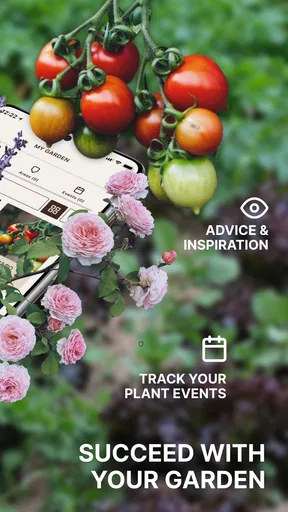
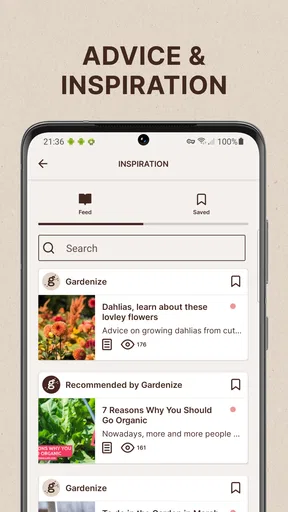
Gardenize isn’t just about keeping track; it’s also about connecting with other plant enthusiasts. There’s a community section where you can share your gardening experiences, ask for advice, or simply get inspired by others’ green spaces. It’s like having a global garden club at your fingertips.
If you’re new to gardening or just looking to expand your knowledge, the app offers plenty of tips and tricks. From pest control to seasonal planting guides, there’s a wealth of information to explore.
When community advice helps—and when it doesn’t
I see community input as a starting point for questions, not a substitute for observing my own growing conditions. Advice that works for someone’s outdoor bed may not transfer neatly to a shaded balcony or an indoor pot. When asking for help, a clear photo and notes about the plant’s location and recent care give other gardeners something concrete to respond to, and they also make my own record more useful later.
There is a trade-off here: social inspiration can make the app feel more welcoming, but it may be unnecessary if all I want is a private plant log. Someone who prefers a quiet, offline notebook and has no interest in sharing or browsing community content can keep things simpler with a paper journal. Gardenize makes more sense when I want records and a gardening-oriented social space in the same app.
The Nitty-Gritty
Now, let’s talk about the nitty-gritty. The app is free, but there’s also a premium version if you’re looking for more advanced features. The free version is pretty comprehensive, but if you’re a garden aficionado, the premium might be worth the investment for its additional perks.
One thing to note, though, is that the app requires a stable internet connection to access some features, which can be a bit of a bummer if you’re out in a remote area with spotty Wi-Fi.
Heavy-use moments and reliability
The busiest moment for me would be setting up a collection all at once: taking photos, writing notes, and creating reminders for many plants in a single session. That is also the point where a journal can begin to feel like work. I’d spread the setup across a few days, starting with plants that are new, temperamental, or easy to confuse. This keeps the task manageable and gives me a chance to decide which details are genuinely worth recording.
For ongoing reliability, the practical question is whether I can keep a routine that survives ordinary interruptions. If I miss a reminder, I can still use the journal as a record and make a fresh observation rather than treating the missed task as proof that the system has failed. I would avoid relying on any single notification as the only record of important care, especially when away from a dependable connection; keeping essential plant notes accessible in my usual backup method is sensible for a trip or a remote garden visit.
Who will get the most from it
This is a good fit for someone with enough plants that names, care histories, or seasonal jobs start to blur together. It can also help a household share responsibility: one person can leave a note about a plant’s recent condition so another person is not guessing whether it was already watered. A beginner may find it reassuring to keep observations and reminders in one place, while an experienced gardener may appreciate having a visual history instead of relying on memory.
I would skip it if I only have one or two hardy plants and already remember their routine, or if I dislike creating accounts and maintaining digital records. It is also not the right answer for someone looking for an automatic diagnosis of every plant problem. A journal can organize observations, but the useful judgment still comes from looking closely at the plant and deciding what its conditions call for.
A realistic week with a mixed collection
Imagine I have a fern in a humid room, a succulent by a bright window, and a few outdoor pots. During a quick weekend check, I photograph a leaf that looks different and note where the fern is sitting. I set separate prompts to inspect the plants rather than scheduling identical watering for all of them. Later in the week, I check the soil, record which pot actually needed water, and leave the others alone. The record helps me distinguish a real pattern from a one-off change.
That workflow is more useful than treating the app as a calendar that tells every plant what to do. It also shows why photos and short notes complement reminders: the prompt gets me to look, while the record helps me compare what I see. For a garden with many varieties, this can prevent the common mistake of applying the same routine to plants with different needs.
How it compares with familiar alternatives
A notes app or spreadsheet can also store plant names and care dates, and a paper notebook works without a phone or connection. Those options may be better if I want total flexibility, no social layer, or a record that is easy to keep offline. Gardenize’s appeal is that plant entries, images, notes, reminders, and gardening community are brought together around the specific task of keeping a garden record. The convenience depends on whether I will actually maintain that record; a simpler tool I use consistently beats a richer one I abandon.
Compared with relying on memory, the advantage is obvious once the collection grows or someone else helps with care. Compared with a generic calendar, the plant-focused context is more natural for notes and photos. Still, I would keep the system lightweight: record information that helps me make a future decision, not every tiny action. That keeps the journal from becoming another household task competing for attention.
My Experience
Personally, I’ve found Gardenize to be a game changer in managing my garden. The ability to document and track everything in one place is incredibly handy. It’s like having a personal plant coach. I’ve become more attentive to my plants’ needs, and I’ve seen a difference in their growth.
Also, the community aspect has been a pleasant surprise. I’ve connected with fellow gardeners around the world, sharing tips and gaining new insights into plant care. It’s a vibrant community that welcomes everyone with open arms (and open gardens).
Device fit and practical limits
The app is listed for devices running Android 6.0 or later, so it is aimed at a broad range of Android phones, though the experience on any particular device can still vary. I would keep the plant photos purposeful rather than adding a large batch of near-identical images; a few clear comparisons are easier to review and make the journal less cluttered. If I am working in a spot with weak service, I would plan to do community browsing or other connection-dependent activity when I am back online.
Its average rating is 3.7 from around 1.2 thousand ratings, with about 131 written reviews and over 100 thousand installs. I read that as evidence that it has found an audience, while leaving room for individual preferences and frustrations. It is rated for Everyone, and the app is currently at version 6.5.0. The basic download is free, with optional in-app purchases ranging from $0.99 to $35.99 per item, so I would begin with the free experience and only consider paying if I encounter a specific limitation that matters to my routine.
Final Thoughts
In conclusion, Gardenize: Garden & Plant care is more than just an app; it’s a gardening companion. It’s packed with features that cater to both casual gardeners and dedicated horticulturists alike. While it does have a few limitations, the overall experience is overwhelmingly positive.
So, if you’re looking to take your gardening game to the next level, give Gardenize a try. It might just become your new favorite gardening tool, helping your plants thrive while making the journey enjoyable and stress-free.
My performance verdict
I would think of Gardenize as a personal garden record that can make care more consistent, not as a demanding utility that needs constant attention. Its perceived speed matters most during quick checks and routine note-taking; the more important performance test is whether the app fits naturally into a weekly walk around the plants. A brief entry made at the right moment is more useful than an elaborate log I never keep up with.
My recommendation is strongest for people who want to learn from their own plant-care history and are willing to add occasional notes. If I wanted a lightweight reminder alone, a calendar might be enough. If I wanted a completely private, connection-independent archive, paper or a local note-taking tool would suit me better. But for bringing plant records, photos, reminders, and community together, this app offers a focused place to build a routine without requiring me to turn gardening into a technical hobby.
Pros
- User-friendly interface for easy navigation.
- Comprehensive plant care reminders.
- Extensive plant database with detailed info.
- Ability to track garden progress with photos.
- Customizable garden layouts.
Cons
- Limited offline functionality.
- No integration with smart devices.
- In-app purchases for premium features.
- Occasional syncing issues.
- Limited community interaction features.
FAQs for Gardenize: Garden & Plant care
What is Gardenize and how does it work?
Gardenize is a comprehensive gardening app designed to help users manage and care for their plants and garden efficiently. It allows users to document plant details, track gardening activities, and set reminders for watering and fertilizing. The app also provides a community feature where gardeners can share tips and inspiration.
Is Gardenize available for both Android and iOS devices?
Yes, Gardenize is available for download on both Android and iOS platforms. Users can find it on the Google Play Store for Android devices and the Apple App Store for iOS devices. The app ensures compatibility with a wide range of smartphones and tablets to accommodate different users.
Does Gardenize require a subscription or is it free to use?
Gardenize offers both a free version and a premium subscription. The free version includes basic features such as plant documentation and activity logging. For advanced features like personalized reminders, more storage, and access to the gardening community, users can opt for a premium subscription with a monthly or yearly payment plan.
Can I use Gardenize offline, or does it require an internet connection?
Gardenize can be used offline to document plant care and activities. However, an internet connection is required for syncing data across devices, accessing community features, and receiving app updates. Offline functionality ensures gardeners can work even in areas with limited connectivity.
How does Gardenize help with plant identification and care?
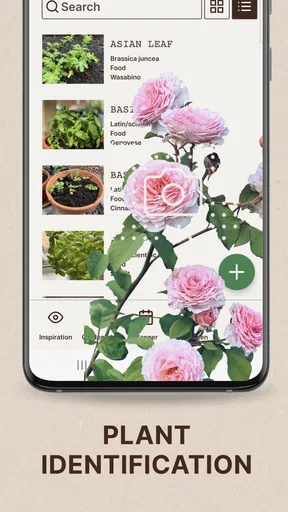
Gardenize provides a detailed plant library that helps users identify different plant species and understand their care requirements. Users can add personal notes, photos, and set reminders for specific plant needs such as watering schedules or repotting. This feature makes it easier to maintain a thriving garden.


